Website analytics for small and mid-size businesses
See what visitors do on your site, and what to do next.
Paste one line of code. Nextstep shows where people came from, what they clicked, where they gave up and what brought in sales, in one simple dashboard for your phone or computer.
No card needed. Set up in about five minutes.
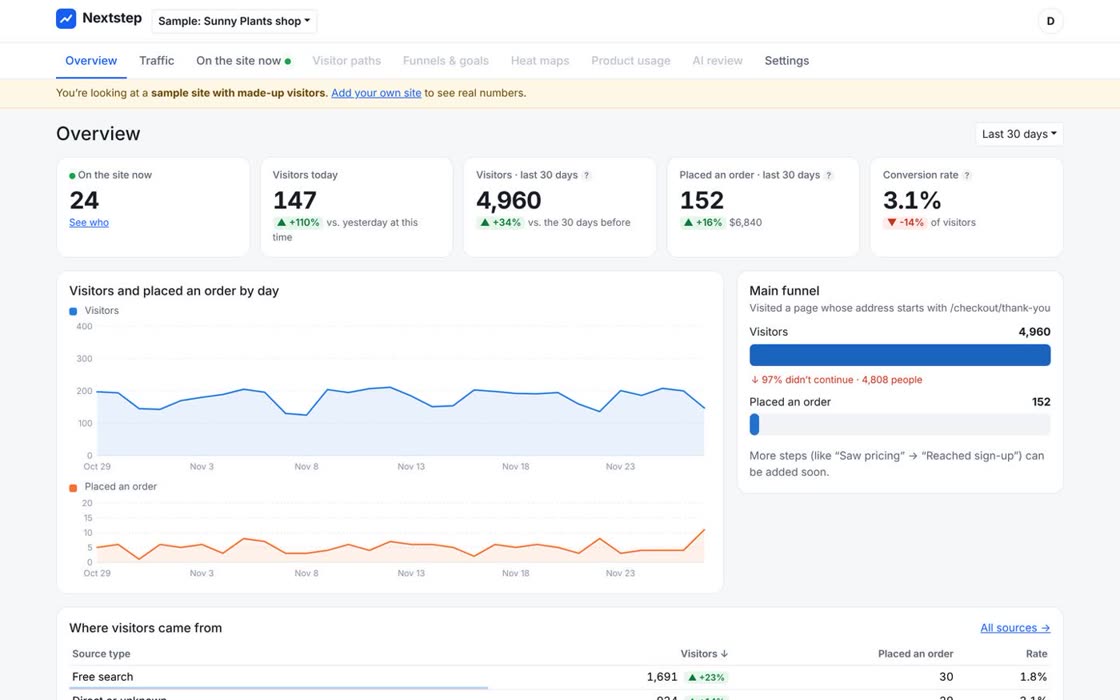
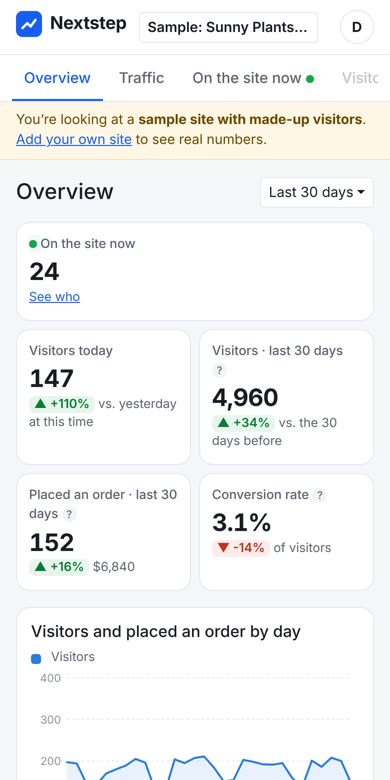
Made for marketing, sales and website people who find Google Analytics too confusing and don’t want three separate tools.
The whole app in 10 minutes
Watch the step-by-step tour
From making an account to reading your heat maps. Plain words, one step at a time.
The tour video is on its way.
One line of code
Everything you need, nothing anyone types
The snippet records what people do, never what they write.
Every visit, page by page, with real people and robots kept apart.
Ads, search, social, email or another website, down to the ad campaign.
Which buttons and links people press, and which ones they ignore.
Where attention goes, and how far down each page people get.
Sign-ups, contact forms and newsletters, counted by name only.
A daily snapshot, so heat maps match how the page really looked.
What you get
One dashboard instead of three tools
Overview
Your daily check-in
People on the site right now, visitors, conversions, your main funnel and your top sources, each with a clear up or down arrow against the time before.
- Live “on the site now” view
- Pick any dates
- Bots left out of every number
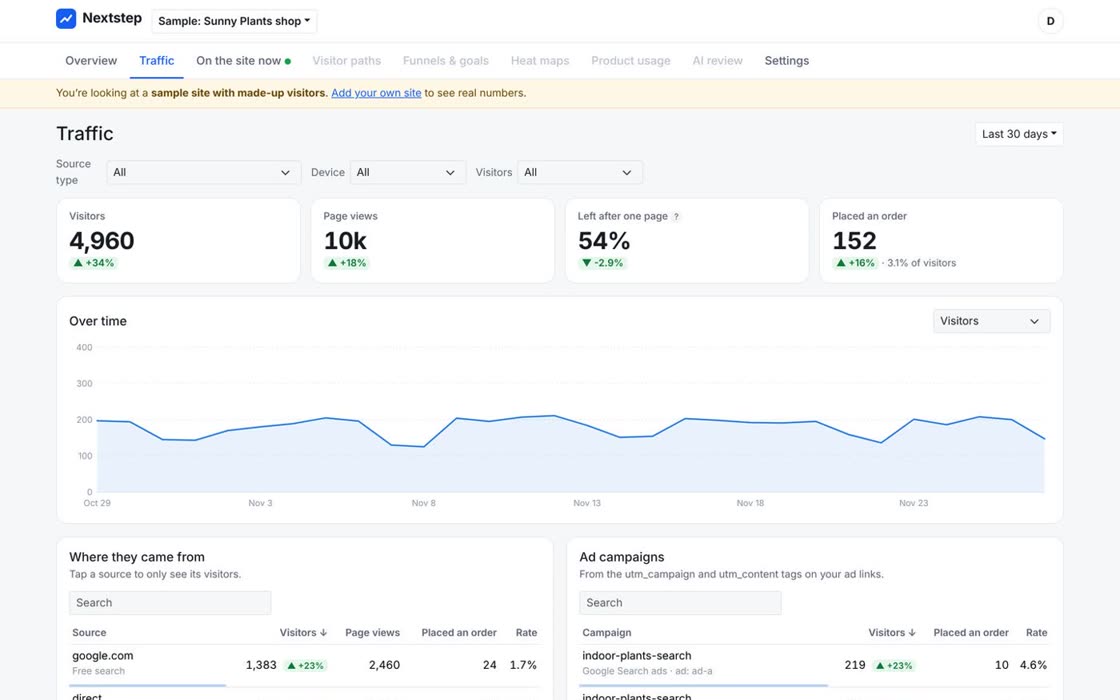
Traffic
Find out what’s working
Results by source, ad campaign and page, plus location, device and your busiest hours. Tap any row and the whole page filters to just those visitors.
- Ad campaigns side by side
- Busiest hours of the week
- Tap to filter everything
Visitor paths
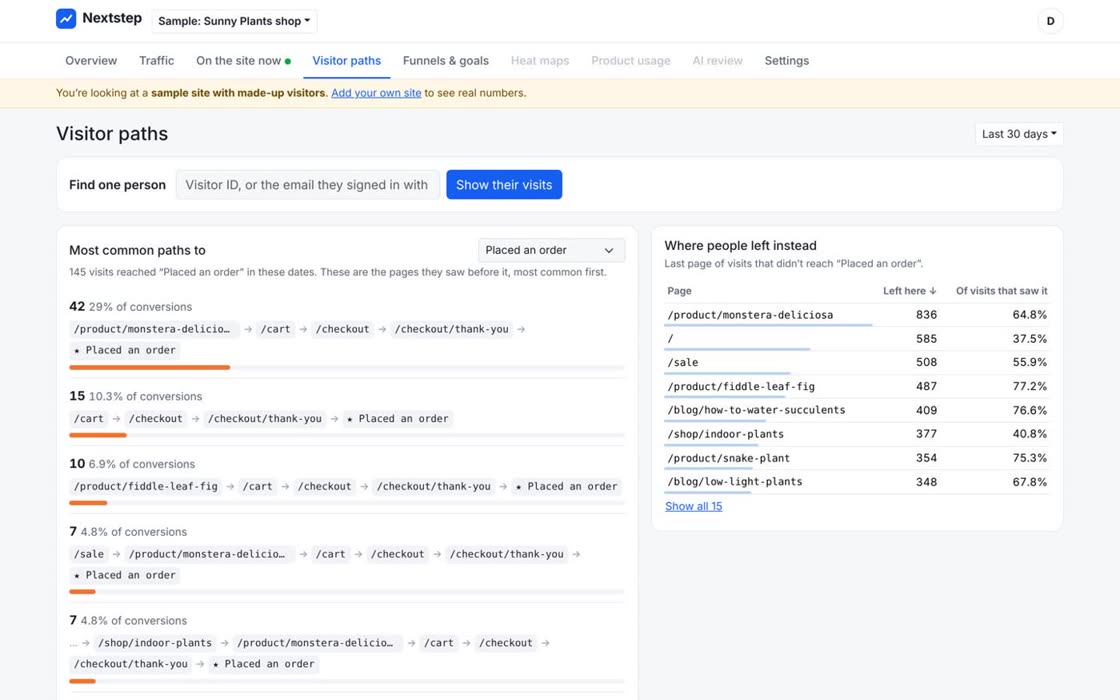
Follow one person, or everyone
See every page and click one visitor made, and the most common paths that lead to a sale, so you know which pages earn their place.
- Every visit, step by step
- Paths that end in a sale
- Where people left instead
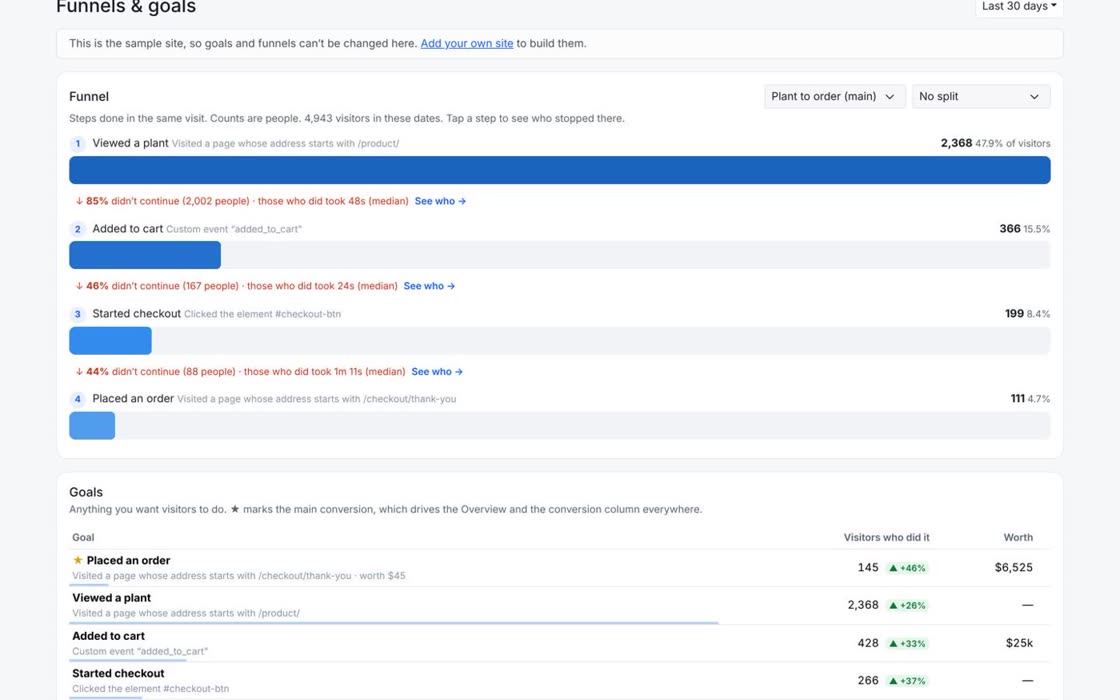
Funnels and goals
See exactly where people drop off
Set up your own goals with no code: a page visit, a button click or a form sent. Line them up into a funnel and see how many make it through each step.
- No code needed
- See who stopped at each step
- Split by phone or computer
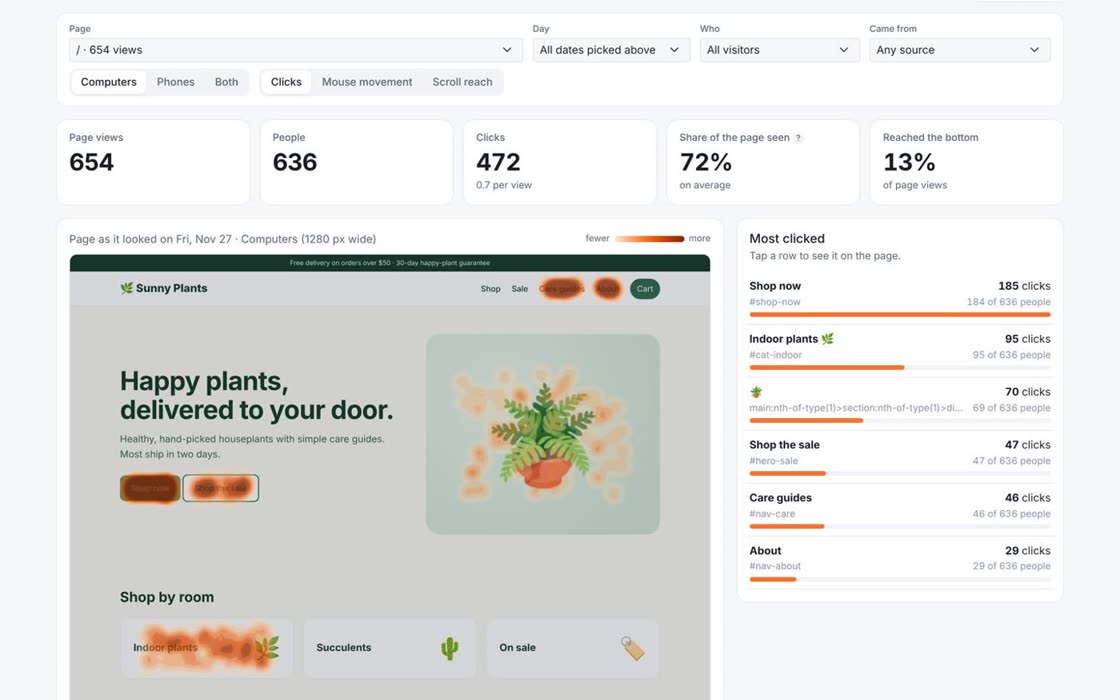
Heat maps
See the page through your visitors’ eyes
Clicks, mouse movement and scroll depth on a real picture of your page, for computers and phones, filtered by who you’re looking at.
- Most clicked buttons and links
- How far people scroll
- Only buyers, only new visitors, and more
Robots and fake visits are kept out, so your numbers are real people.
A short summary of last week, in your inbox every Monday morning.
One account for all your websites, with your team invited.
Active users, the features people use, and who keeps coming back.
Three clear things to do next, and answers to plain questions.
How it works
Up and running in three steps
- 1Add your website
Type your web address and your time zone.
- 2Paste one line
Copy the snippet into your site’s head section. That’s the only code there is.
- 3Pick your main win
An order, a sign-up or a form. Your dashboard fills in as visitors arrive.
<!-- Nextstep analytics: counts visits, sources and scrolling. Never collects anything people type. -->
<script async src="https://phpstack-1504287-6809408.cloudwaysapps.com/t.js" data-site="AbC123xYz"></script>
Private by design
You see what people do, not who they are or what they write.
- Never records anything a person types
- Password and card fields are always skipped
- Cookie-free mode and Do Not Track support
- Hide any part of a page from tracking
- Choose how long visit data is kept
- Delete one visitor’s data when they ask
Questions
Do I need to know how to code?
No. You paste one line into your site once, and set up goals and funnels by clicking. If you use a website builder, the line goes in its “header code” or “custom code” box.
Will it slow my site down?
No. The snippet is small and loads after your page, so visitors won’t notice it.
Does it work on phones?
Yes, both ways. It tracks visitors on phones and computers, and the dashboard is made to read on a phone.
Can I track more than one website?
Yes. Add as many sites as you like to one account and switch between them from the menu at the top.
Can I try it before adding my site?
Yes. Every account comes with a sample shop full of made-up visitors, so you can click around first.
Know what to do next on your website
Paste one line today. See your first visitors in minutes.
Start free